

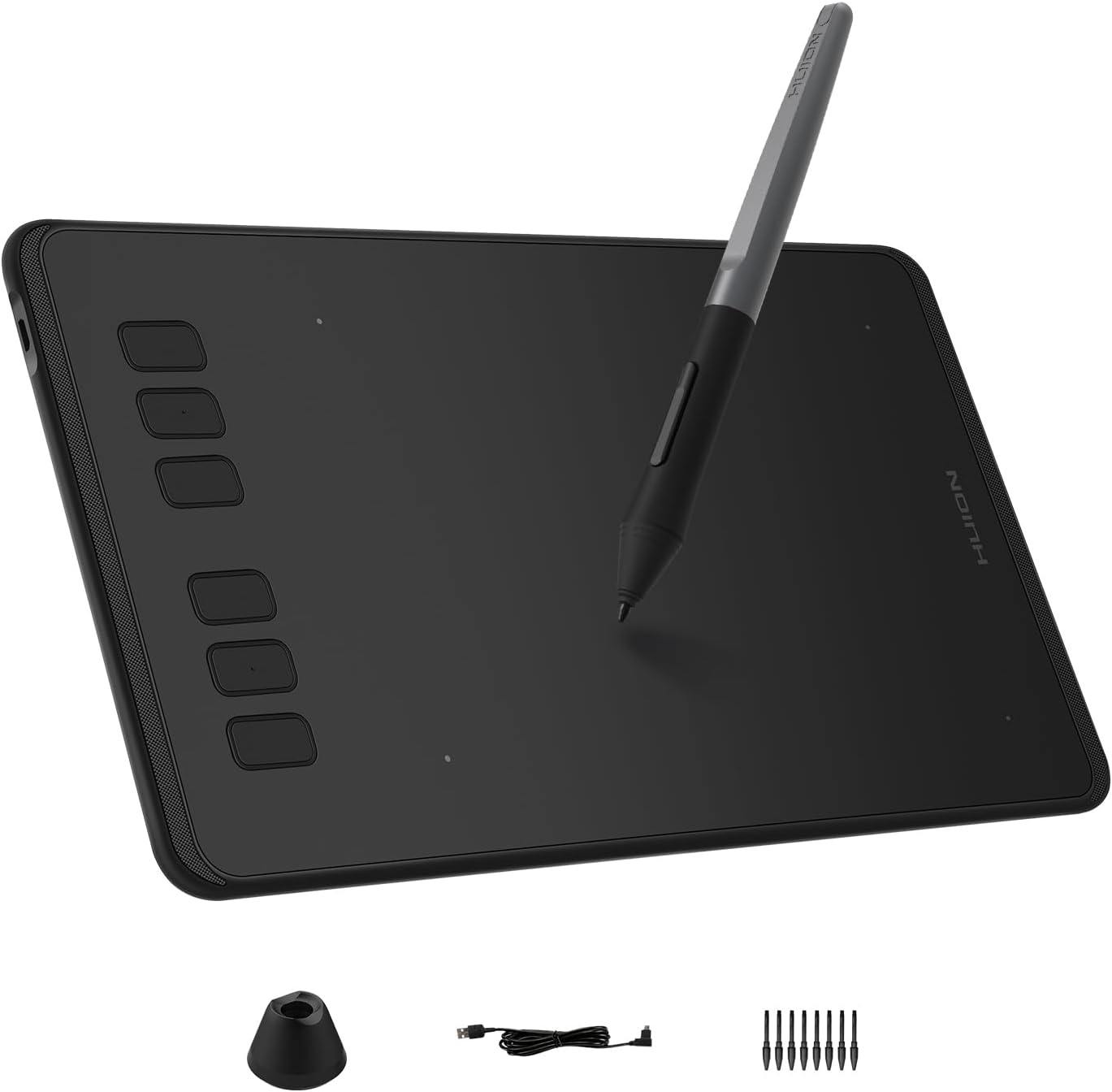
If you’re stepping into the world of digital art or looking for a versatile and affordable drawing tablet, the HUION Inspiroy H640P deserves your attention. Designed for artists, designers, students, and professionals alike, this 6×4 inch digital drawing tablet offers a compact, user-friendly experience packed with essential features that make creative work smooth and accessible. Priced attractively at $37.99, it positions itself as a strong contender among entry-level graphics tablets, promising precision, portability, and flexibility.

Key Features
The HUION Inspiroy H640P stands out for several reasons that appeal to both beginners and casual digital artists:

-
Battery-Free Stylus with 8192 Levels of Pen Pressure: The tablet includes a battery-free pen, eliminating the need for charging and ensuring uninterrupted work sessions. With 8192 pen pressure sensitivity levels, users can achieve fine and dynamic strokes that emulate the feel of drawing on paper, enabling detailed and nuanced artwork or handwriting.
-
6 Programmable Hot Keys: Speed up your workflow by customizing six shortcut keys to your preferred functions. This personalization supports faster access to tools, undo/redo commands, zoom controls, and more, which can significantly enhance productivity whether you’re designing or annotating.
-
Wide Compatibility: Compatible with Mac (macOS 10.12 or later), Windows (7 or newer), Linux (Ubuntu), and select Android devices (6.0+), this tablet integrates easily with most systems and popular creative software like Adobe Photoshop, Illustrator, Corel Painter, and Clip Studio Paint. This versatility makes it a multi-purpose device for digital art, note-taking, teaching, and editing.
-
Compact and Portable Design: Measuring just 6×4 inches, the compact and slim design makes it perfect for artists on the go. It fits easily in backpacks or laptop bags, allowing you to create anywhere—whether at home, in class, or during travel.
-
Left-Handed Use and Customization: The HUION driver software allows left-handed users to flip the tablet orientation effortlessly. You can also tailor pen buttons, pressure sensitivity, and working area preferences to suit your style, making the tablet intuitive for every user.
-
Multi-Purpose Application: Beyond art creation, it supports applications in education—helping students write or draw diagrams digitally—and business, facilitating electronic signatures and presentation annotations.
Pros & Cons
Pros
- Excellent Value for Money: Many users highlight the Inspiroy H640P as a budget-friendly alternative to higher-priced brands like Wacom, providing quality performance without the steep price tag.
- User-Friendly Setup and Interface: Beginners especially appreciate the straightforward installation process and easy-to-navigate driver UI, making the transition to digital drawing less intimidating.
- Natural Drawing Feel: The responsive pen with high pressure sensitivity mimics the experience of paper drawing, which users find comfortable and satisfying.
- Portable Size: The tablet’s small footprint and lightweight design make it a top choice for those needing a travel-friendly device.
- Multi-System Compatibility: Works smoothly across multiple operating systems and some Android devices, broadening its usefulness.
Cons
- Occasional Pen Malfunctions: Some reviews mention issues with the pen intermittently failing to register input, which can disrupt workflow.
- Compatibility Glitches on macOS: Due to recent macOS USB recognition problems, a few users have experienced connection troubles, although HUION customer support is reported to be responsive.
- Limited Drawing Area: The compact 6×4 inch surface may feel restrictive for artists accustomed to larger tablets.
- Not Ideal for Professional-Grade Work: While adequate for beginners and casual use, advanced professionals might find the feature set limiting for intricate or large-format projects.
Who Is It For?
The HUION Inspiroy H640P is ideal for:
Unlock Your Creativity with the HUION H640P
- Beginners Entering Digital Art: Those just starting digital drawing will appreciate the value, approachable learning curve, and realistic drawing experience.
- Students and Educators: Perfect for digital note-taking, formula writing, or interactive teaching via online platforms.
- Casual Artists and Hobbyists: Those who want an affordable tablet for sketching, editing photos, or graphic design without investing in high-end equipment.
- Traveling Creatives: Artists and designers who need a lightweight, portable device to create on the move.
- Budget-Conscious Users Seeking Wacom Alternatives: Anyone looking for reliable performance without the premium price tag of established brands.
Final Thoughts
The HUION Inspiroy H640P offers an impressive combination of affordability, portability, and functionality tailored for users who want to dive into digital art or digital workflows without complexity or high cost. Its high pressure sensitivity and battery-free stylus deliver a natural drawing sensation, complemented by customizable hot keys and broad software compatibility. Though there are occasional reports of pen responsiveness issues and minor macOS connectivity challenges, the overall user experience remains highly positive, reflected in its solid 4.4-star rating from over 13,000 users.
Explore the Features of the Inspiroy H640P
If your needs align with beginner to intermediate digital art or you want a capable tool for teaching or business annotations, the HUION Inspiroy H640P is a reliable choice that balances features and price beautifully. It’s a versatile drawing tablet that opens the door to creative expression and productivity, all while fitting neatly on your desk or in your bag.
Get Your Digital Art Tool Now!
As an Amazon Associate, I earn from qualifying purchases.